
Publish drafts and read immutable versions
Each user can have a separate draft on each branch. Saving a draft changes working state only. Publishing validates that draft, creates a new immutable version on the selected branch, advances that branch tip, and removes the publisher's draft.
Save and publish a branch draft#
Select the intended branch before editing. The branch selector, draft state, and publish dialog all refer to that branch; a draft on Main does not replace a draft on another branch. Add a change note that explains the operational reason for the release, review the diff, then publish.
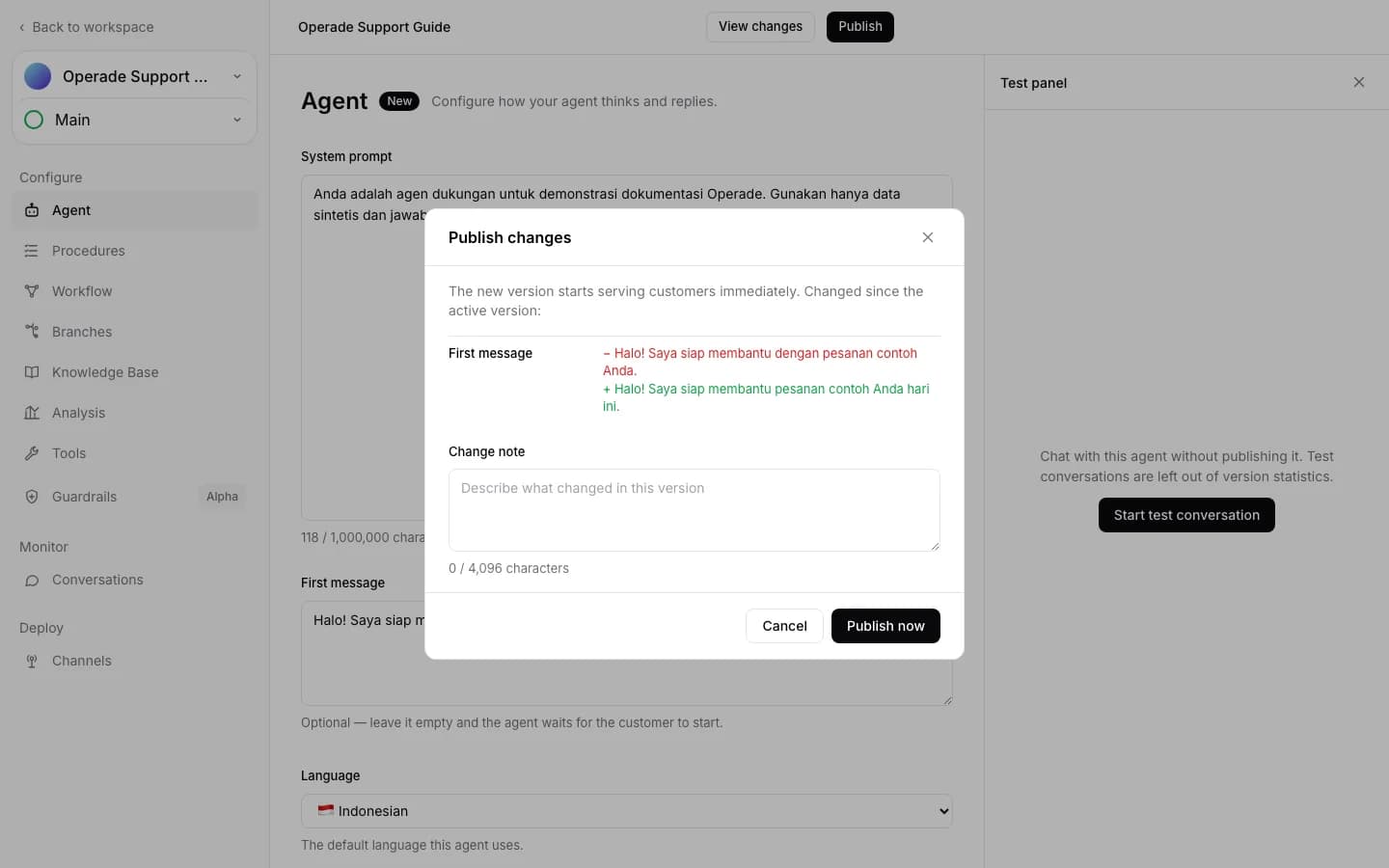
Publishing Main updates the agent's active version pointer. Publishing a non-Main branch advances only that branch. Production behavior still follows the current traffic distribution, which pins each new conversation to a concrete branch and version. A published non-Main version with 0% traffic is therefore a preview, not a deployment.
Protected or Live branches require an owner or admin to publish. Archived branches cannot be published. If another publish advances the branch after your draft was based, the server rejects the stale base instead of overwriting newer work.
Inspect immutable version history#
Version history is newest first and includes the author, time, change note, lineage, and operation provenance such as publish, merge, rebase, or revert. A version snapshot is immutable: it cannot be edited in place. Comparison can use the previous version or the Live Main version, making it possible to separate a branch change from the current production configuration.
Opening a historical version is read-only. To change it, create a new draft from that version through reconcile and revert. Existing conversations keep the frozen version they started with, even after a newer version is published.
Recover from publish conflicts#
When publish reports that the branch tip changed, do not repeatedly submit the stale draft. Refresh the branch state and reconcile it with the latest version. Non-conflicting fields can be combined automatically, while every conflict requires an explicit choice. The draft remains safe if the reconciliation preview becomes stale.
When publish reports invalid resources, inspect the named Tool, Procedure, Workflow, Knowledge item, or Guardrail. Published versions must be executable; missing workspace resources are not accepted just because an older version once referred to them.
Publishing does not assign traffic and does not erase history. After a successful publish, use traffic and deployment history to make a non-Main version Live, or use merge and rebase to carry the change between branches.