
Conversations and filters
The Conversations page is the operational index for customer and Test chat runs. It uses stored summary fields for fast scanning and lets any workspace member open the evidence for a conversation in that workspace.
Structured Agent Testing creates internal runtime conversations, but excludes them from this list and from Agent version statistics. Review them under Past runs and results, where each record stays tied to its Test Run.
Search and filter the list#
Use keyword search to find text in user or agent messages. Search is scoped to the current workspace and combines with all active filters. The primary Agent filter narrows the list to one agent; selecting a Branch also scopes the result to that agent and includes archived branches that still have history.
Open Filters for Source, Date, Status, and Result. Source distinguishes customer traffic from Test chat. Date offers the closed recent windows shown by the dashboard. Status is Ended, Ongoing, or Failed. Result is Success, Failure, or Unknown and reflects the latest Analysis aggregate, not the transport status. Clear all removes the complete filter state.
The API exposes the same list through List conversations, including agent, branch, source, status, date, result, and query parameters. Use the dashboard for interactive diagnosis and the public read API for governed reporting.
Read status, result, and end reason#
Each row shows agent, title, start time, duration, turns, cost, result, and status. Test and Draft badges identify non-production runs. The title comes from the first customer message when available.
Status answers whether the runtime is still active, ended normally, or failed. Result answers what Analysis concluded: success, failure, or unknown. They can differ. An ended conversation can have a failed business result, and a failed runtime can have no Analysis result.
Open Overview to read the exact end reason, such as user_left, timeout, agent_ended, max_duration, quota_exceeded, workspace_not_activated, abandoned, error, or guardrail_triggered. Use that reason before inferring a cause from duration or the last visible message.
Move between drawer and full page#
Selecting a row opens the conversation drawer without losing the current list context. Previous and Next move through the conversations in that filtered list. Open the full page when you need a durable URL or more room for Transcript and Activity. The full page contains the same detail data; it is not a second copy with different evidence.
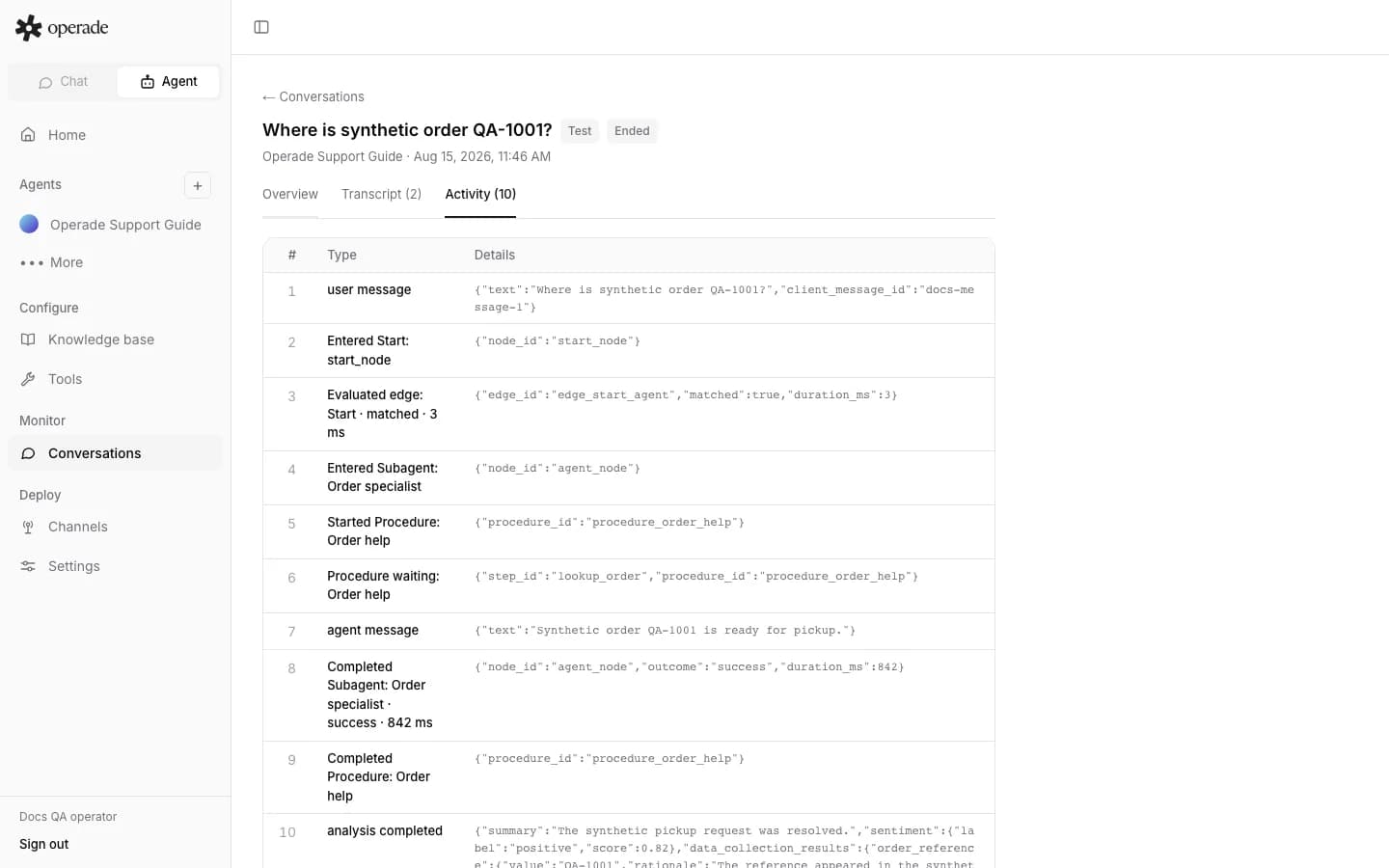
If Previous or Next does not show an expected conversation, return to the list and inspect the current filters. A branch, date, source, or result filter may exclude it. For the evidence inside a record, continue to Transcript and Activity. For runtime diagnosis, see conversation troubleshooting.