
Workspace API keys
An API key lets code call the supported customer API for one workspace without a browser session. Owners and admins create and revoke keys from Settings → API keys. A member cannot manage them.
Create and copy a key once#
Choose Create key and give it an operational name such as Billing sync or Staging server. The complete value is shown exactly once. Copy it into an approved secret manager before closing the dialog; the dashboard deliberately does not close it automatically.
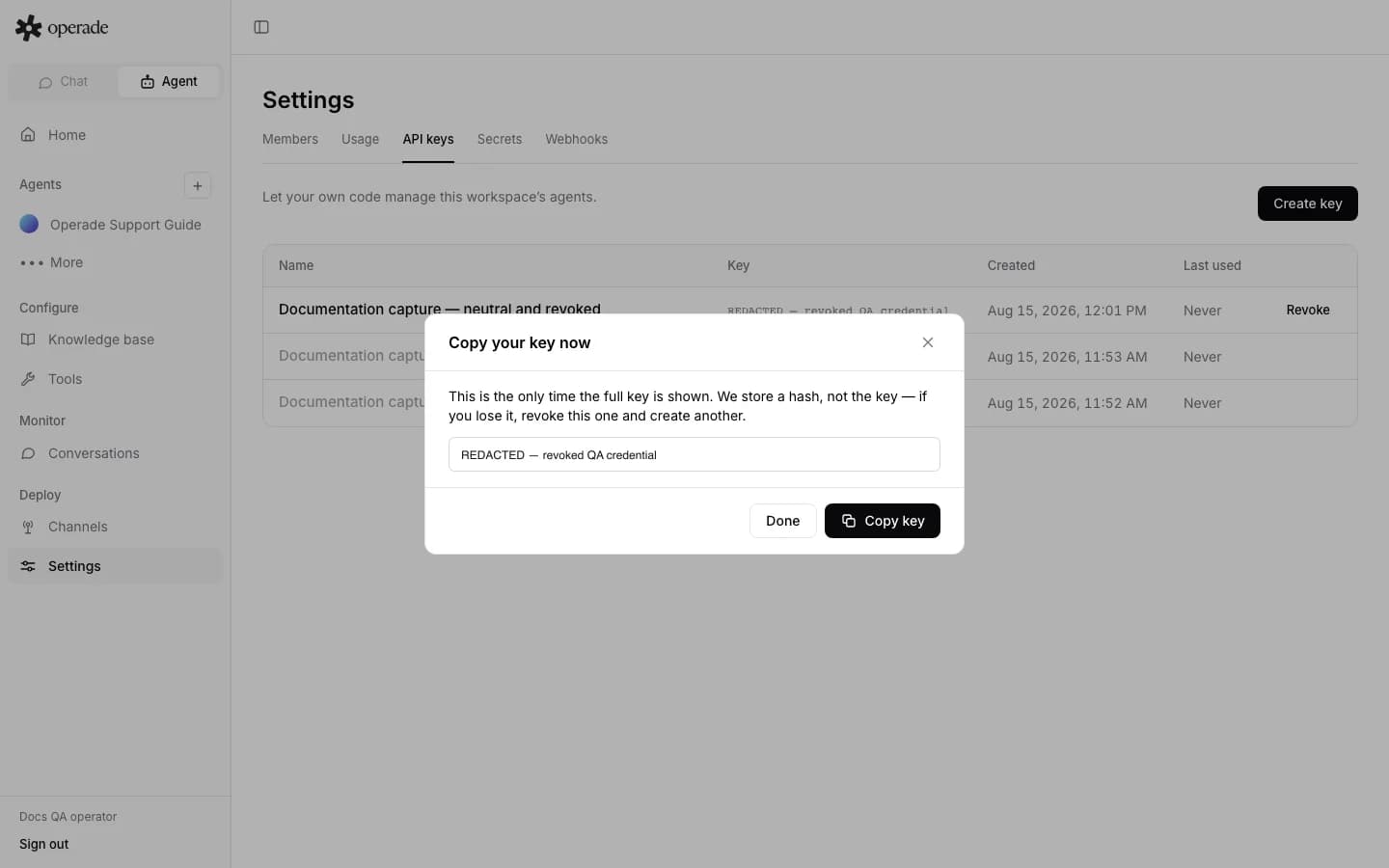
Operade stores a SHA-256 hash and a short identifying prefix, not the full key. Later list responses show the name, prefix, created time, last-used time, and revoked state. If the one-time value is lost, it cannot be recovered. Revoke it and create a replacement.
Send the key as Authorization: Bearer YOUR_API_KEY only to the documented Operade origin. The workspace identity is encoded in the key format and checked against the workspace in the request URL. A key from one workspace cannot read another workspace; foreign workspace identifiers appear not found.
Revoke and audit use#
The list shows Last used so an owner or admin can identify inactive credentials. Choose Revoke, confirm the interruption, and update every dependent service. Revocation takes effect on the next request and cannot be undone. Revoked rows remain visible as audit context rather than disappearing.
Use a separate named key for each service or environment. This makes last use and revocation meaningful. Do not paste a real key into a prompt, Tool configuration, support ticket, source file, or public documentation.
Understand key restrictions#
API-key access is enabled per public operation; it is not equivalent to an owner dashboard session. A key can call customer API operations marked as allowed and can read API-key metadata or Secret names where documented. It cannot create or revoke an API key, change membership, manage workspace Usage, or trigger the session-only Analysis rerun. A leaked key therefore cannot mint a replacement copy of itself.
Within an operation that accepts API keys, the current authorization model gives the key workspace-admin scope. This is not a configurable per-key role or resource allowlist. For example, allowed Agent Testing reads can return private tests and invocations created by any member in that Workspace, and allowed edits can change another member's test. The Workspace boundary still applies, and session-only operations remain unavailable. Until narrower key scopes exist, assume every issued key can access all data exposed by every API-key-enabled operation in its Workspace.
Mutations that require a human dashboard session also require the normal request protection and role check. Review each operation's authentication table in the API Reference rather than assuming a key can call every endpoint.
Use a dedicated key per service for audit and revocation, but do not mistake separate names for reduced permissions. For credentials used by webhook Tools or Telegram, store the value as a write-only workspace Secret instead of using an Operade API key field. For tested tenant boundaries, see Permissions and security.