
Post-call webhook
A workspace can have one post-call webhook that sends an ended conversation's transcript and successful Analysis result to one public endpoint. Owners and admins configure it under Settings → Webhooks. Members and API keys cannot manage or read this setting.
Create, pause, and inspect delivery#
Enter a public HTTP or HTTPS endpoint and choose Create webhook. Private network destinations and unsafe redirects are refused. Creation also generates a signing Secret that is shown exactly once. Copy it into the receiving service immediately; later reads and updates never return it or its internal name.
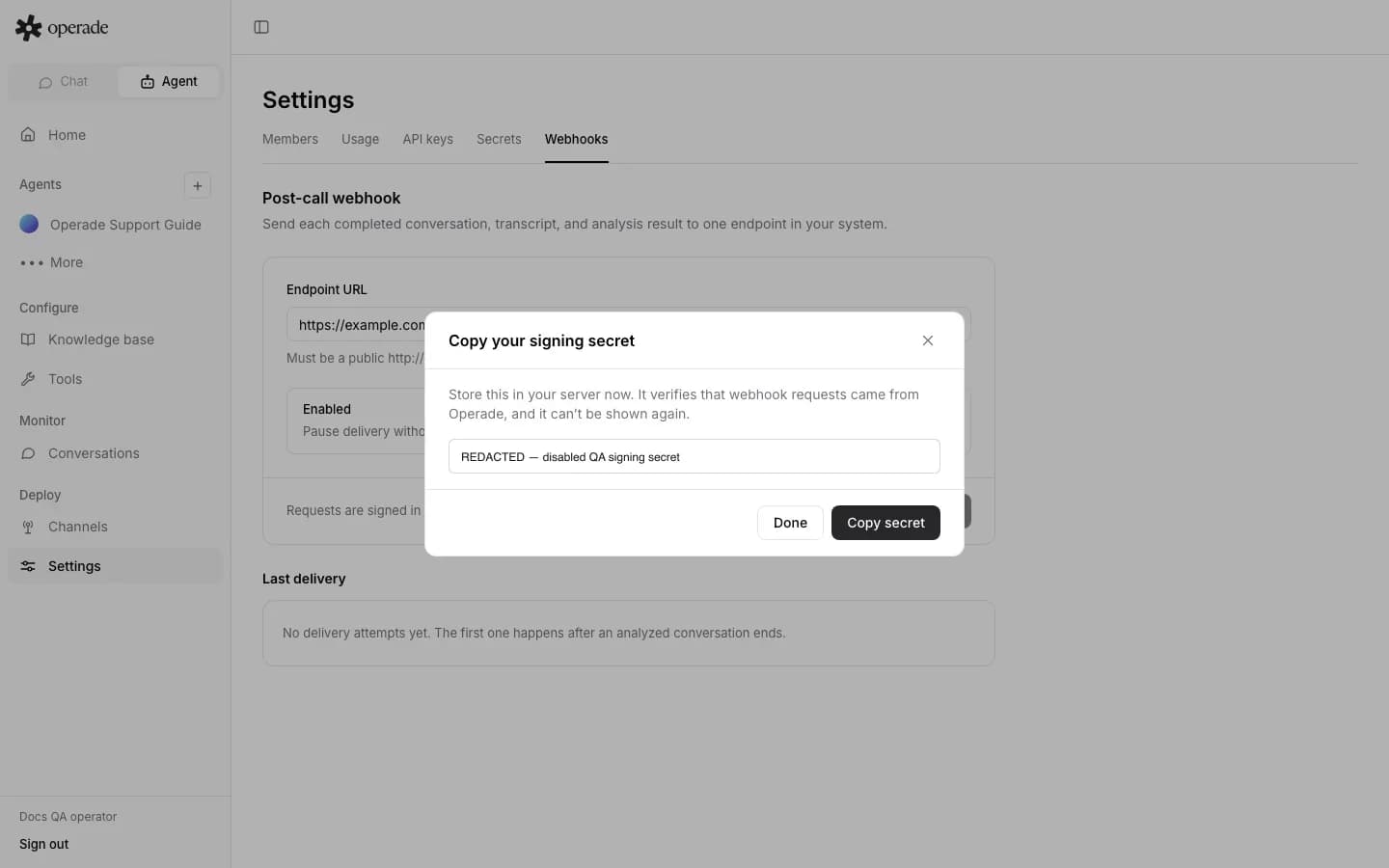
The webhook starts enabled. The Enabled toggle pauses or resumes delivery without changing the URL or signing Secret. Last delivery shows success or failure, attempted time, and a safe error. Updating the URL keeps the existing signing Secret.
There is no customer operation to recover or reset the Secret, and no delete or rotate operation for the webhook. If the one-time value is lost, changing the URL or toggling Enabled does not create another value. Treat this as a current recovery limitation before making the integration production-critical.
Know when delivery runs#
Delivery runs only after a successful Analysis reaches done. A conversation with Analysis skipped is not delivered, and a failed Analysis has no successful result to send. An enabled webhook therefore does not receive every ended conversation when its frozen version has no active Analysis setting or no usable transcript.
The payload contains post_call_transcription, conversation, agent and version identifiers, status and supported end reason, timestamps, the supported continuation-chain transcript, and the Analysis result. A delivery failure does not change a completed Analysis from done.
Each delivery makes three attempts. Only HTTP 200 counts as success; other 2xx responses are retried and ultimately recorded as failed. The same serialized body and signature are used for those attempts. A final failure writes a safe post_call_webhook_failed Activity event without storing a remote response body or Secret.
Verify the exact signature#
Read the raw body bytes before JSON parsing. Parse the exact ElevenLabs-Signature header format:
ElevenLabs-Signature: t=<timestamp>,v0=<hex_digest>
Compute HMAC-SHA256(signing_secret, timestamp + "." + raw_body) and compare the lowercase hexadecimal digest with v0 using a constant-time comparison. Do not reformat JSON before verification: whitespace, key order, encoding, or any single byte change produces a different digest. After verification, parse the raw body as JSON and enforce an acceptable timestamp age in your receiver.
Return HTTP 200 only after the event has been accepted durably or deduplicated. Keep processing idempotent because retries can repeat the same conversation payload. Monitor outcomes under Transcript and Activity, and use Analysis results to distinguish skipped or failed Analysis from delivery failure.